Organizing Your Scene
This note is based on DISCOVER three.js, mostly excerpts with some personal understanding
Directory Structure
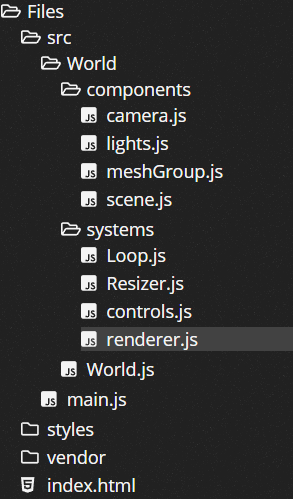
meshGroup.js
import {
  SphereBufferGeometry,
  Group,
  MathUtils,
  Mesh,
  MeshStandardMaterial,
} from 'three';

function createMeshGroup() {
  // a group holds other objects
  // but cannot be seen itself
  const group = new Group();

  const geometry = new SphereBufferGeometry(0.25, 16, 16); // sphere

  const material = new MeshStandardMaterial({
    color: 'indigo',
  });

  const protoSphere = new Mesh(geometry, material);

  // add the protoSphere to the group
  group.add(protoSphere);

  // create twenty clones of the protoSphere
  // and add each to the group
  for (let i = 0; i < 1; i += 0.05) {
    const sphere = protoSphere.clone();

    // position the spheres on around a circle
    sphere.position.x = Math.cos(2 * Math.PI * i);
    sphere.position.y = Math.sin(2 * Math.PI * i);

    sphere.scale.multiplyScalar(0.01 + i);

    group.add(sphere);
  }

  // every sphere inside the group will be scaled
  group.scale.multiplyScalar(2);

  const radiansPerSecond = MathUtils.degToRad(30);

  // each frame, rotate the entire group of spheres
  group.tick = (delta) => {
    group.rotation.z -= delta * radiansPerSecond;
  };

  return group;
}

export { createMeshGroup };
clone
- Almost all objects in three.js have a
.clonemethod, which allows you to create an identical copy of that object. clonedMeshalso has the same geometry and material asmesh. However, the geometry and material are not cloned, they are shared. If we make any changes to the shared material, for example changing its color, all cloned meshes will change along with the original mesh. The same applies if you make any changes to the geometry.- However, you can give a clone a completely new material without affecting the original.
- Custom properties are not cloned, like
.tick
Group Introduction
Groups occupy a position in the scene graph and can have child objects, but they themselves are invisible. If Scene represents the entire universe, then you can think of Group as a single compound object in that universe.
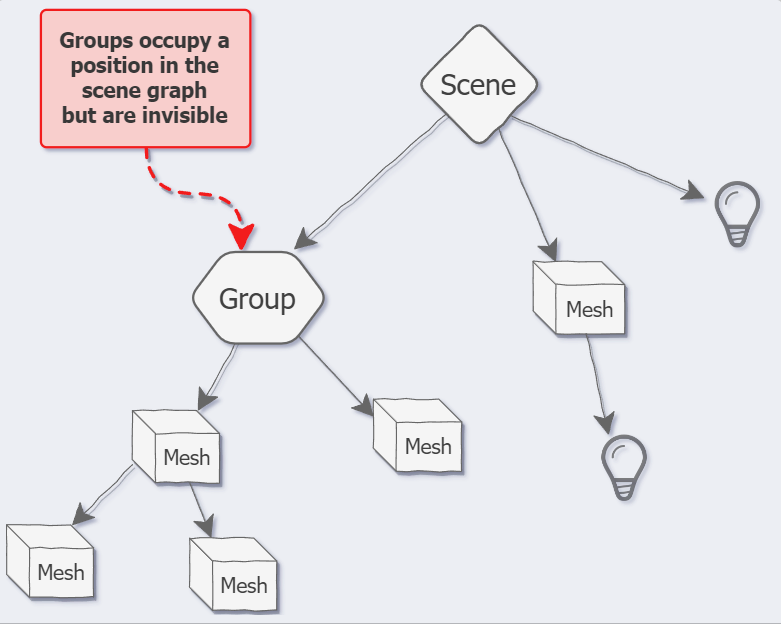
Each scene object has .add and .remove methods inherited from Object3D, just like Group and Scene themselves. Each object can occupy a position in the scene graph and have child objects. The difference is that groups are purely organizational objects. Other scene objects, like meshes, lights, cameras, etc., have purposes beyond occupying a place in the scene graph. However, groups exist purely to help you manipulate other scene objects.